Models in SilicaAI
SilicaAI supports a wide range of open-source and optional cloud AI models — managed directly in the app, matched to your Mac’s hardware.
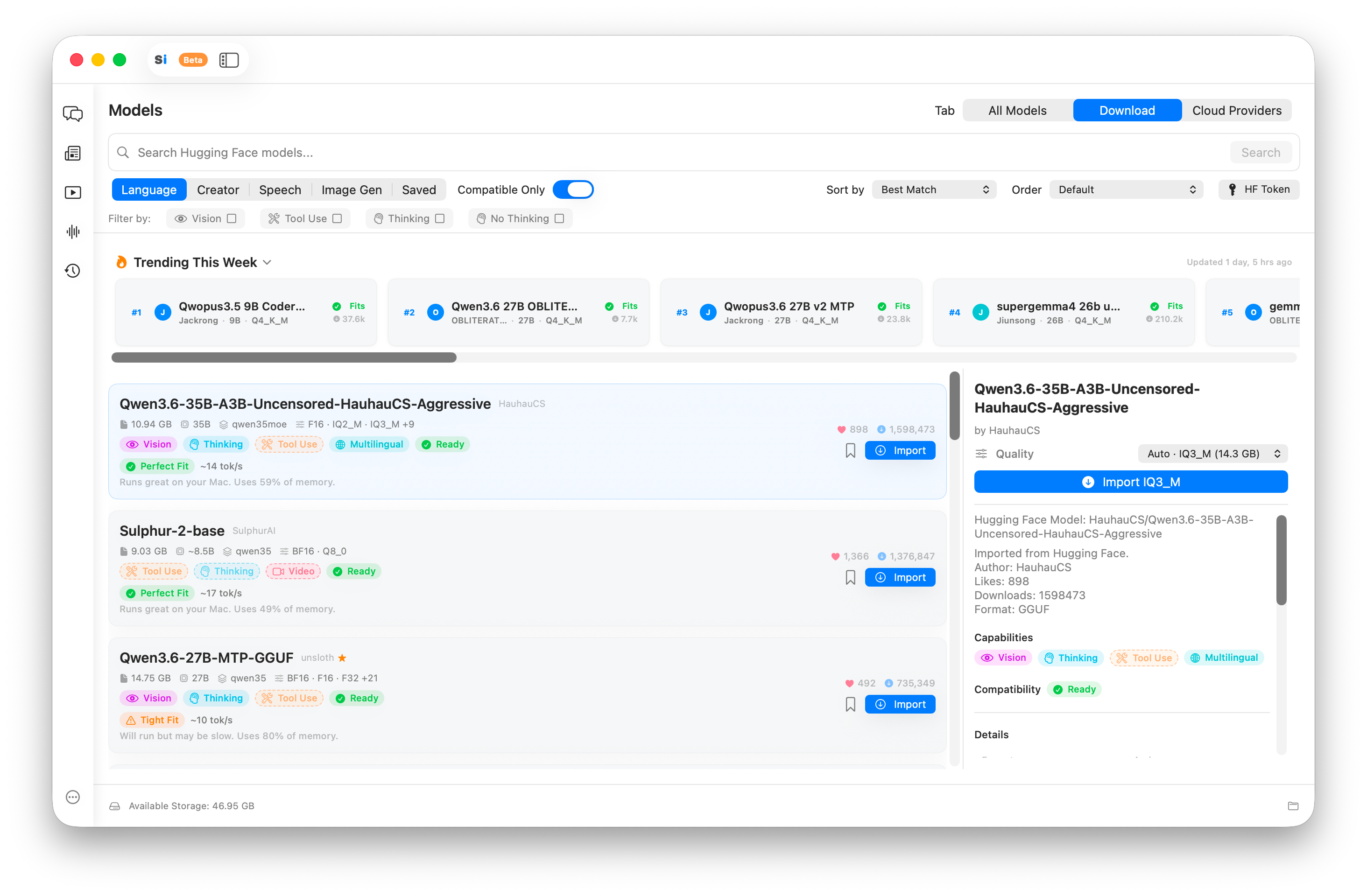
The Model Library filters hundreds of open-source models to what actually runs on your chip and RAM.
How SilicaAI handles models
SilicaAI’s Model Library connects to Hugging Face and surfaces models that are compatible with your exact Mac hardware. Each model is tagged with RAM requirements, and incompatible models are marked — so you never download something that won’t run.
When you pick a model, SilicaAI automatically selects the appropriate quantization tier (e.g. Q4_K_M, Q5_K_M) based on your available RAM. You can also choose manually if you want a specific compression level.
Different models can be assigned per feature: a fast small model for quick rewrites, a larger reasoning model for deep analysis, a Whisper model for transcription, and a Stable Diffusion or Flux model for Design Studio — all managed without leaving the app.
Supported model types
Chat & reasoning
LocalGGUF format chat models including Llama, Mistral, Qwen, Gemma, Phi, and more. Run entirely on-device.
Voice transcription
LocalWhisper models for real-time and post-call transcription. Audio never leaves your Mac.
Image generation
LocalStable Diffusion and Flux models for Design Studio. Generate images locally without subscription limits.
Cloud providers
OptionalOptional integrations for OpenAI, Anthropic, and others. Opt in per-feature when cloud quality matters.
GGUF format and quantization
Local chat and reasoning models use the GGUF format — a compact, efficient binary format designed for running large language models on consumer hardware without a dedicated GPU.
Quantizationcompresses a model’s weights to reduce memory use and increase speed at a small cost to precision. Common tiers:
| Quantization | Memory use | Quality tradeoff |
|---|---|---|
| Q4_K_M | Lowest | Small quality reduction — good default for most uses |
| Q5_K_M | Moderate | Better quality, slightly more RAM — recommended if you have headroom |
| Q8_0 | Higher | Near full-precision quality — use when RAM allows |
| F16 / FP16 | Highest | Full precision — requires the most RAM, best for large Mac Pro configs |
SilicaAI auto-selects the quantization that best matches your RAM. You can override this in the Model Library.
What fits in your Mac’s RAM
RAM is the key constraint for local models. Here’s a practical guide based on quantized (Q4–Q5) GGUF models. Leave 3–4 GB headroom for macOS and other apps.
| RAM | Models that fit | Practical use |
|---|---|---|
| 8 GB | 1B–3B parameter models | Quick rewrites, summaries, simple Q&A |
| 16 GB | 7B–8B parameter models | Full chat, code assistance, drafting, analysis |
| 32 GB | 13B–14B parameter models | Strong reasoning, longer context, multi-step tasks |
| 64 GB+ | 30B–70B parameter models | Near-GPT-4 quality, long-form writing, complex code |
See the Model Library in action
Download SilicaAI and browse the full model catalog filtered to your exact Mac hardware. No account required.